You're sizing up another SaaS subscription, or scoping a custom build. Before either, it's worth checking whether the tools your team already opens every morning can do most of what you want. Often they can - you just haven't pushed them. That's toolsmaxxing - using the features inside the tools you already pay for before you add anything new. Run it as a sanity check on the way to spending, then spend on whichever path actually fits.
This isn't a frugality argument, it's a sequencing argument. The cost of a new tool isn't the monthly bill. It's the integration work, the data living in one more place, the training, and the inevitable "wait, which app did we put that in?" six months later. Most small B2B firms I talk to are already running Notion, Monday or ClickUp, ChatGPT, QuickBooks, and some flavor of Make or Zapier. Those five alone cover a surprising amount of ground if you use what's in them.
What toolsmaxxing means
Toolsmaxxing is treating your existing software stack as your first-choice platform for any new workflow, automation, or "we should build a thing for that" idea. You only graduate to a new tool or a custom build when you've hit a real ceiling in what you already own, not when you've hit the edge of what you happened to know about on day one.
A few things make this work:
- The big SaaS vendors ship new features constantly. Notion AI, Monday's AI blocks, QuickBooks' AI assistant, and ChatGPT custom GPTs all landed in roughly the last 18 months. The tool you signed up for in 2023 is not the tool sitting in your tabs today.
- Features inside one tool compose with each other much better than features across two tools. A Notion database, a Notion automation, and a Notion AI block share the same data and permissions for free. Two separate SaaS tools share nothing for free.
- Most "we need a custom build" requests from small firms turn out to be 80% covered by features the team didn't know existed. I've sat on calls where the founder is describing a multi-week build, and the answer is a Monday automation plus a sharper ChatGPT prompt.
A quick note on the word. "Toolsmaxxing" borrows the "-maxxing" suffix from internet slang (looksmaxxing, sleepmaxxing) which just means pushing one variable as far as it goes. Here the variable is the value you extract per tool you pay for.
Why this matters more in 2026 than it did in 2023
In 2023, the play was different. The AI features inside Notion and Monday were thin, ChatGPT couldn't really do agents, and QuickBooks didn't have an AI assistant at all. If you wanted AI in your workflow, you mostly had to bolt something on.
That's changed. Notion AI is now bundled into paid plans and can read across your workspace. Monday added AI blocks for column-level automation - categorize text, extract data, generate content - inside any board. Intuit shipped Intuit Assist, a generative AI assistant, into QuickBooks Online. ChatGPT Team and Business let any non-developer build a custom GPT with instructions, files, and actions. The features got real.
So the answer to "should we build this?" shifted. In 2023 the answer was often "yes, because the off-the-shelf options are too dumb." In 2026 it's more often "let's spend a half day toolsmaxxing first."
A decision framework for buy vs. toolsmax vs. build
When a need comes up - a new report, a new automation, a new internal tool - run it through these checks in order. Stop at the first "yes."
1. Has anyone on the team read the changelog?
Most teams adopt a tool, learn 30% of it in the first month, and never look at it again. Notion shipped probably 40 meaningful features in the last year. Monday shipped AI blocks for almost every column type. QuickBooks added cash flow forecasting and an AI assistant. If nobody on your team has opened the "What's new" page in six months, your stack is more capable than you think it is.
Action: spend 30 minutes per tool reading the release notes from the last 12 months. Write down anything that maps to a problem your team has complained about.
2. Does the feature exist as a native block, template, or integration?
For each tool, check in this order:
- Native feature inside the tool (Notion database with formulas, Monday automation, QuickBooks rule).
- Built-in AI feature (Notion AI, Monday AI block, QuickBooks Intuit Assist, ChatGPT custom GPT).
- Official template from the vendor's gallery.
- Native integration with another tool you already own.
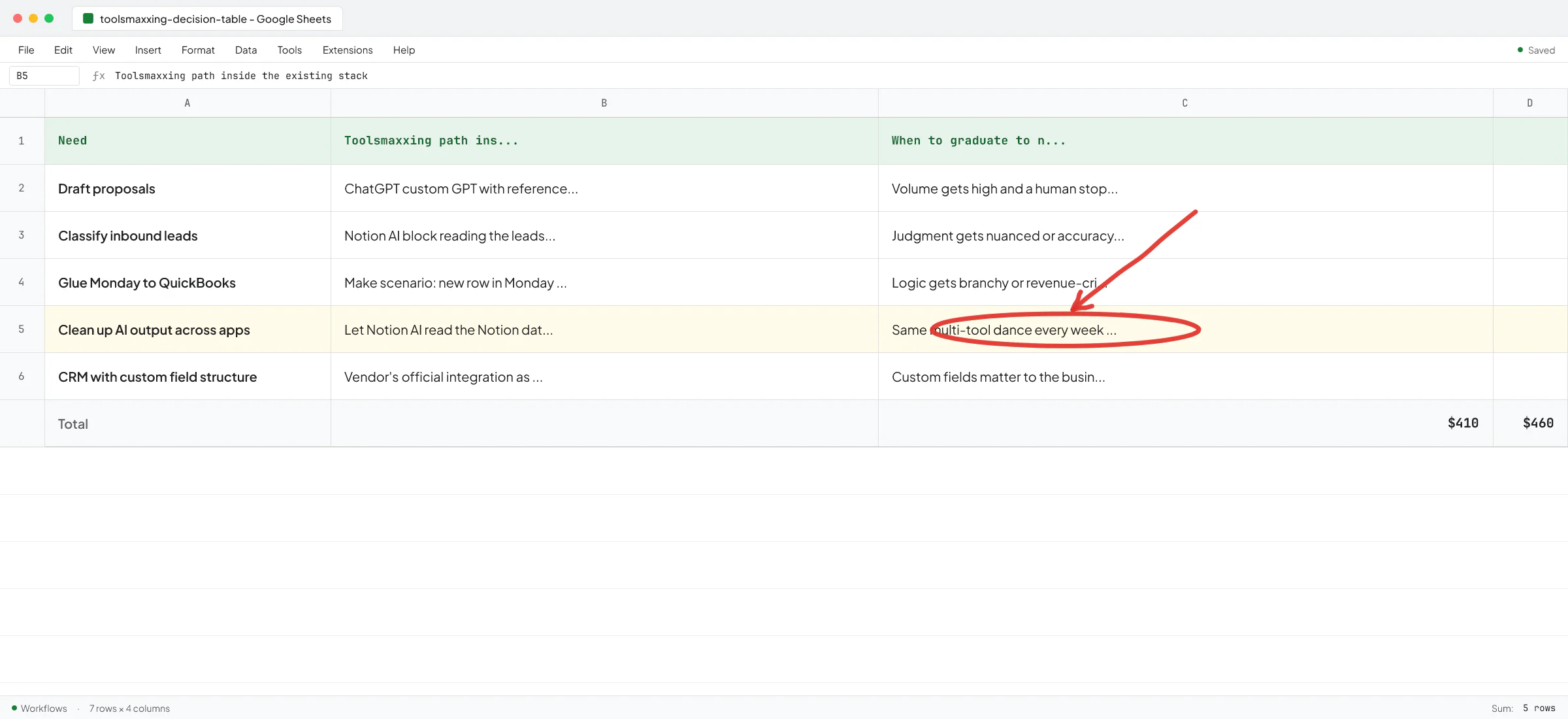
This is the part of toolsmaxxing the Norwegian real-estate firm I talked to last quarter was bouncing off of. They were using Copilot, ChatGPT, and Notion AI "all the time" - the CEO's words - but treating each as a separate island. They'd ask Copilot for something, copy the output, paste it into Notion, ask Notion AI to clean it up, copy that into an email. The AI wasn't the problem. They just didn't know Notion AI could read the Notion database directly.
3. Can Make or Zapier glue two existing tools together?
If the feature doesn't exist natively and there's no official integration, the next layer is a no-code connector. Make and Zapier both have thousands of pre-built app connections, and most simple "when X happens in tool A, do Y in tool B" workflows fit in a single scenario.
One caveat: Make and Zapier work great for clear, deterministic flows ("new row in Monday → create invoice in QuickBooks"). They get fragile when the logic gets branchy, when you need real error handling, or when an LLM call is in the middle of a critical path and might return bad output. Knowing when no-code stops being the right answer is most of the skill here.
4. Can a ChatGPT custom GPT or Claude Project handle it?
For workflows that need judgment - drafting proposals, classifying inbound leads, summarizing call transcripts - a custom GPT with the right instructions and a few reference files often does the job. No code, no new SaaS, no Make scenario. Just a prompt and some context, sitting in a tool half your team already pays for.
The trap here: people see a custom GPT working on three examples and assume it will work on three hundred. It usually won't, not without iteration. For low-volume internal workflows where a human is reviewing the output anyway, this is often the right stop.
5. Have you tried steps 1-4 before commissioning a build?
This is the most important question, and I've turned away projects because the answer was "no" and a 30-minute conversation surfaced a path through the existing stack.
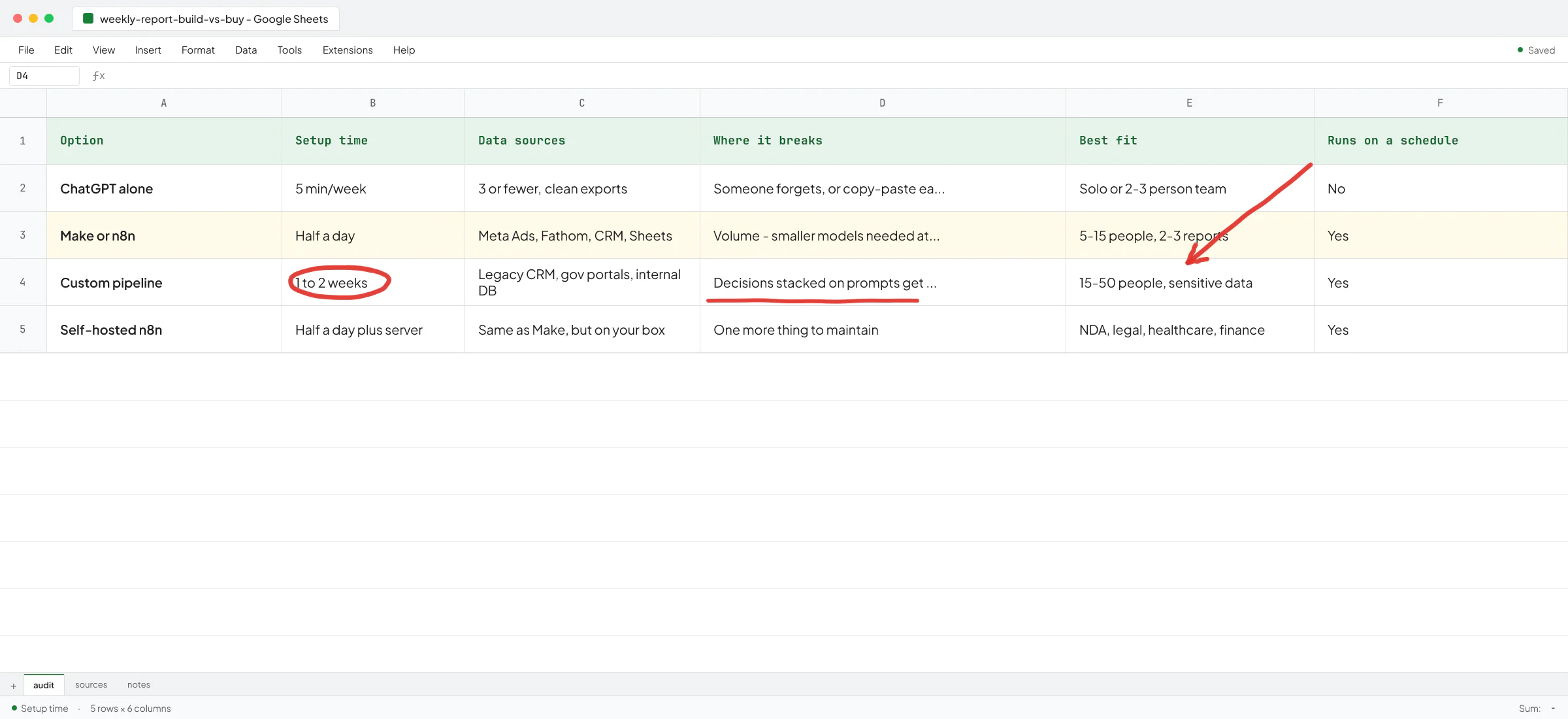
Ove André Remme, founder of Terapivakten, hired me after another freelancer spent two weeks trying to do exactly that - solve a complex content-generation problem with a single ChatGPT custom GPT - and shipped something that didn't work. In the full 6.5-minute video interview, Ove walks through it: the first attempt was toolsmaxxing pushed past the point where it could carry the workload, and the right answer was a custom build. So the framework cuts both ways. Someone who toolsmaxxes past the ceiling pays the same as someone who builds custom too early - time and money on the wrong solution.
When toolsmaxxing stops being the answer
Toolsmaxxing isn't a religion. There are clear signals you've hit the ceiling and the next step is a new tool or a custom build.
You're running the same multi-tool dance every week
If you're exporting from Tool A, pasting into a Google Sheet, asking ChatGPT to reformat, then importing into Tool B - every week - the toolsmaxxing path has run out. That manual dance is the gap a custom build closes. The Norwegian firm above had a CFO downloading Tripletex data into Excel every month to reconcile transactions because Tripletex couldn't produce the cash flow report he needed. No amount of ChatGPT prompting fixes that.
Your workflow needs reliability the no-code layer can't give you
Make and Zapier are fine for "if it breaks, someone notices next morning" workflows. They're rough for customer-facing or revenue-critical paths. At Sellify AI, the company I spent two years engineering at, we built CRM-integrated AI sales systems for pest control operators. Sellify's case study with HomeTeam covers what that looks like at scale: over $1M in new mosquito service revenue in a single campaign month, with zero added headcount. That's not a Zapier scenario - the reliability, the integrations with legacy pest control CRMs, and the AI guardrails all had to be production-grade.
"Vlad has been incredible to work with. Very sharp and understands the intricacies and needs of our company. Have trusted him with important tasks, and he's always been able to get creative and deliver." - Thomas K. Lundberg, CEO of Sellify AI and co-owner of Fox Pest (exited to Rollins for $350M).
The vendor integration doesn't fit your data
Vendor integrations are built for the common case. The moment your CRM has a custom field structure, or your invoicing flow has a quirk, the "official" integration breaks down. I built a Sellify AI integration with a complicated legacy pest control CRM that didn't have a clean API surface - that integration became a competitive moat for the company because no off-the-shelf connector could do it. If your custom field setup matters to the business, vendor integrations are often a starting point and not a finish line.
You have a sharp bottleneck, not a vague "we should use more AI"
The Norwegian CEO I quoted earlier said his team couldn't be the last one to adopt AI or they wouldn't have a job in two years. Fair anxiety. But "we should use AI more" isn't a project. Their real bottleneck was specific: they had to copy applicant information across forms over and over, and they wanted a tool that filled in the forms from a single source of truth. That's a build, because it's a sharp, repeating workflow with clear ROI.
If you can't write your workflow problem on one line with a measurable outcome, toolsmaxxing is the right move. Going custom on a vague problem produces an expensive thing nobody uses.
A toolsmaxxing audit you can run this week
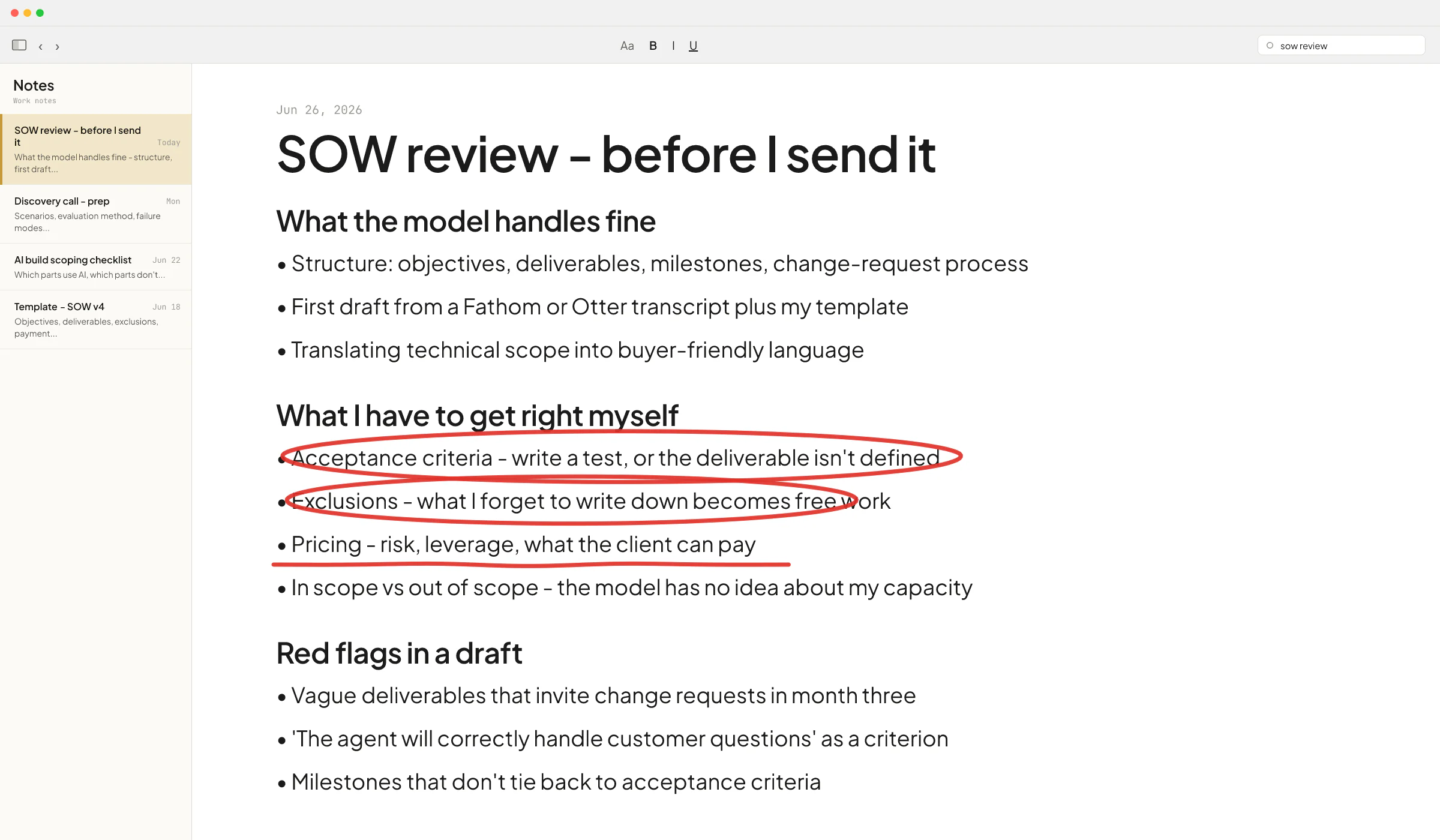
Block four hours. Bring the two or three people who do the work the tool supports. For each tool in your stack:
- List the top three workflows the tool is supposed to support.
- List the workflows your team is doing manually or in another tool because "this one can't do it."
- For each item in #2, open the vendor's docs or changelog and check whether it can, in fact, do it now.
- Note one item to try this week and one to revisit next quarter.
Half the items in #2 will be solvable. That's typical. The rest is your real shortlist of "buy a new tool" or "commission a build" candidates - and now you have a sharp list instead of a vague wish.
If the list comes out long, prioritize by how many hours per week the workflow eats. Anything under one hour a week is rarely worth automating; the maintenance cost will exceed the saved time. Anything over five hours a week is almost always worth it. For most B2B firms in the 5-50 person range, this is also a useful moment to look at whether you need an AI consultant or an AI engineer for the items that survive the audit - they solve different problems and the wrong choice is expensive.
The boring part nobody mentions
Toolsmaxxing depends on someone owning the stack. In a 5-person firm that's the founder by default. In a 30-person firm it's somebody's actual job, or it falls through the cracks. The biggest toolsmaxxing failures I see aren't technical - they're that nobody is responsible for knowing what the tools can do now versus 18 months ago. The changelog gets shipped, nobody reads it, and the team keeps doing the manual workflow because that's what they learned on day one.
If you don't want a full-time ops person yet, the lightweight version is: pick one person, give them two hours a month, and make it their job to read the release notes for your top five tools and report back what changed. That single habit is worth more than most new SaaS subscriptions.
When you've toolsmaxxed honestly and you've hit a real wall - the multi-tool dance, the reliability gap, the integration that doesn't fit - that's when a custom build pays back. If you want a second pair of eyes on which side of the line you're on, book a call and walk me through your stack and the workflow you're stuck on. Half the time the conversation ends with "you don't need me to build anything, try this in Notion first." The other half it ends with a sharp build scope instead of a fuzzy one.
FAQ
What is toolsmaxxing?
Toolsmaxxing is using the features inside the tools you already pay for - Notion, Monday, ChatGPT, QuickBooks, Make, Zapier - before adding a new SaaS subscription or commissioning a custom build. It treats your existing stack as the first-choice platform for any new workflow and only graduates to new tools when you've hit a real ceiling.
How is toolsmaxxing different from just using your tools?
Most teams learn 30% of a tool in the first month and never revisit it, even as the vendor ships new features. Toolsmaxxing is deliberate: someone owns the stack, reads the release notes, and re-checks "can this tool do what we need now?" on a regular cadence. The difference is the active audit.
When should a small B2B firm skip toolsmaxxing and go straight to a custom build?
When the workflow is customer-facing, revenue-critical, or needs reliability the no-code layer can't give you. Also when you need a deep integration with a legacy system the vendor connectors don't support, or when you're doing the same multi-tool manual dance every week despite trying the native features. Custom builds pay back when the workflow is sharp, specific, and high-volume.
Is Notion AI good enough to replace ChatGPT for a small business?
For workflows that live inside Notion - drafting docs, summarizing meeting notes, querying your workspace - Notion AI is often enough and saves you a context switch. For open-ended work, custom GPTs with reference files, or anything that needs the latest model, ChatGPT Team or Business is still the stronger choice. Most firms end up using both.
What's the risk of toolsmaxxing too far?
You end up with brittle workflows held together by Make scenarios and Notion AI prompts that nobody understands six months later. Toolsmaxxing past the point where the tool was designed to operate produces something that works in demo and breaks in production - which is exactly the failure mode that made Ove come back after his first attempt at a ChatGPT-only course builder. Run the audit honestly in both directions.