If you run a small B2B firm, your team is probably already pasting client info into ChatGPT on personal accounts. So the question is not whether to pay OpenAI. The question is which plan, and when to stop paying and build something custom.
I'll go plan by plan, then show the line where a ChatGPT subscription runs out of room.
The plans you actually have to choose from
OpenAI lists six tiers on the official pricing page. For a small B2B firm, five of them matter:
- Free: $0. Good for testing.
- Plus: $20 per user per month. One person, personal use.
- Business: $20 per seat per month on annual billing (or $30 monthly), minimum 2 users. This is the small-business plan.
- Pro: $200 per user per month. Heavy single-user workloads.
- Enterprise: custom pricing, roughly 150-seat minimum.
The Go tier ($8 per month, ad-supported) is consumer-only and not relevant for a firm that handles client work.
Pricing changes often. OpenAI cut Business from $25 to $20 per seat on annual billing on April 2, 2026. Check the live page before you decide.
The thing that decides your plan: client data
For a small B2B firm the deciding factor isn't the model or the speed. It's whether OpenAI is allowed to train on what your team types in.
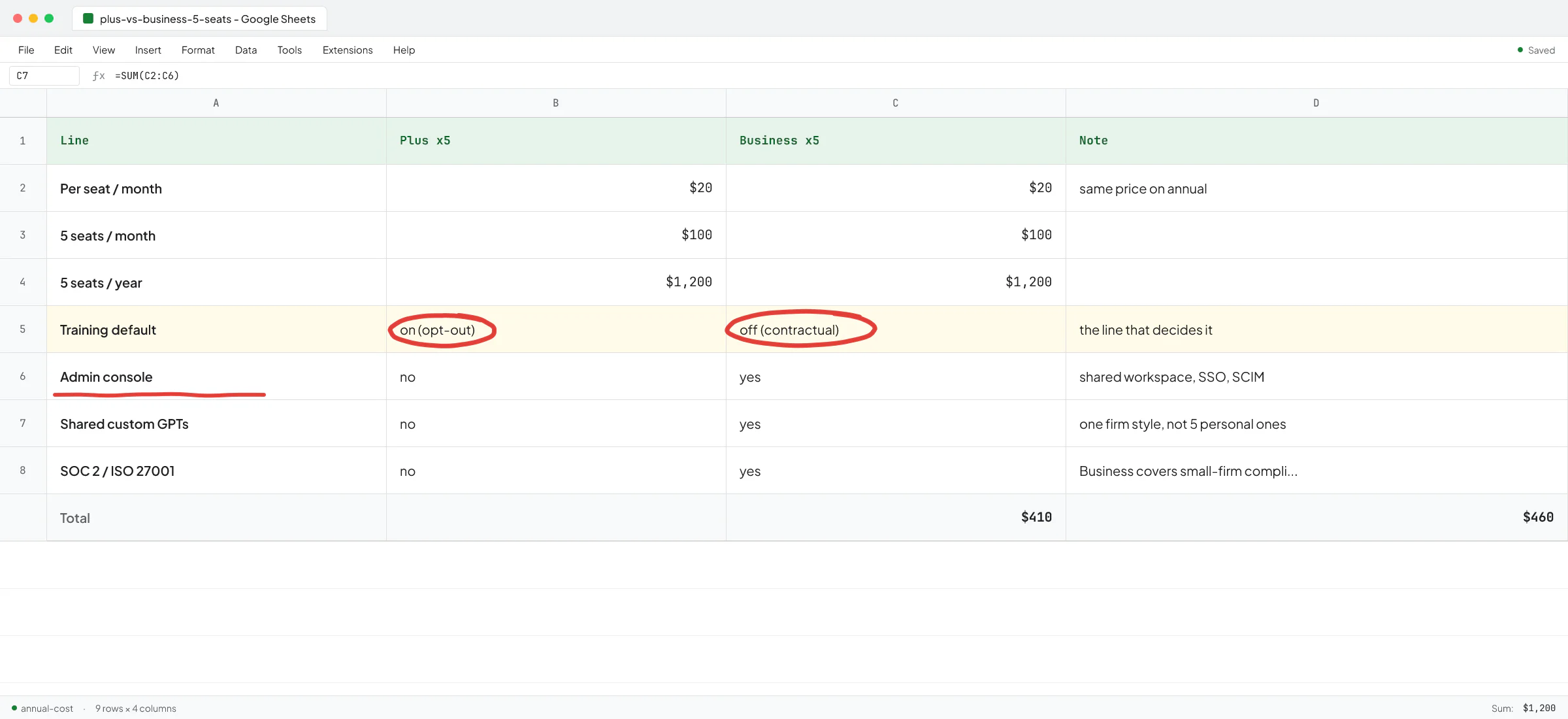
On Free, Plus, and Pro, OpenAI uses your conversations to train its models by default, unless every person on your team manually flips the opt-out toggle in their own settings.
On Business and Enterprise, your data is excluded from training by default. No toggle. It's contractual.
If your team handles anything covered by an NDA, a client contract, or a regulator (legal work product, financial records, health info, source code), Plus is the wrong plan. You don't want to find out a year from now that a junior associate pasted a draft motion into their personal Plus account.
I wrote about a related version of this in the article on AI consultant vs AI engineer - the cheap option becomes the expensive option when one of the cheap accounts leaks.
Plan by plan, who it fits
Free ($0)
Use it for trying things out. One person, no client data, no recurring workflow.
Skip it for the firm. Model access is limited, there's no admin console, and conversations train models by default. Free is fine for an evening of testing and not much else.
Plus ($20 / user / month)
Use it for a solo operator, an individual contractor, or one person who needs frontier models for their own work. Training default is the same as Free.
Skip it for the firm. Plus is a personal subscription. If you give five team members each a Plus account on their personal emails, you have five separate leak points and zero visibility. This is the most common setup I see at small firms, and it's the first thing I tell founders to fix.
Business ($20 / seat / month, annual)
Use it for a firm with 2 to 150 seats that wants one workspace, admin control, and training-excluded by default.
What you get on top of Plus, at the same per-seat price: no model training on your data, SAML SSO, SCIM provisioning, SOC 2 Type 2 compliance, ISO 27001, admin controls, and shared GPTs across the workspace. If you're already paying for Plus seats, switching to Business is a free upgrade in features with the data protection added in.
This is the default answer for most small B2B firms.
Pro ($200 / user / month)
Use it for a single power user running deep research, long-context analysis, or all-day heavy reasoning workloads. Training default is the same as Plus (consumer).
Skip it for the firm. If more than one person needs this level, you're better off on Business plus targeted API access for the heavy workloads. Paying Pro for a five-person firm is rare.
Enterprise (custom)
Use it for firms with a roughly 150-seat floor that need data residency in a specific region, full audit logs, role-based access control, and an SLA. Industry estimates put it at $40 to $75 per seat per month.
Skip it for the firm if you're under 50 people. Enterprise is almost always overbought at that size, and Business covers the security and compliance certifications you need.
Where ChatGPT plans stop being the answer
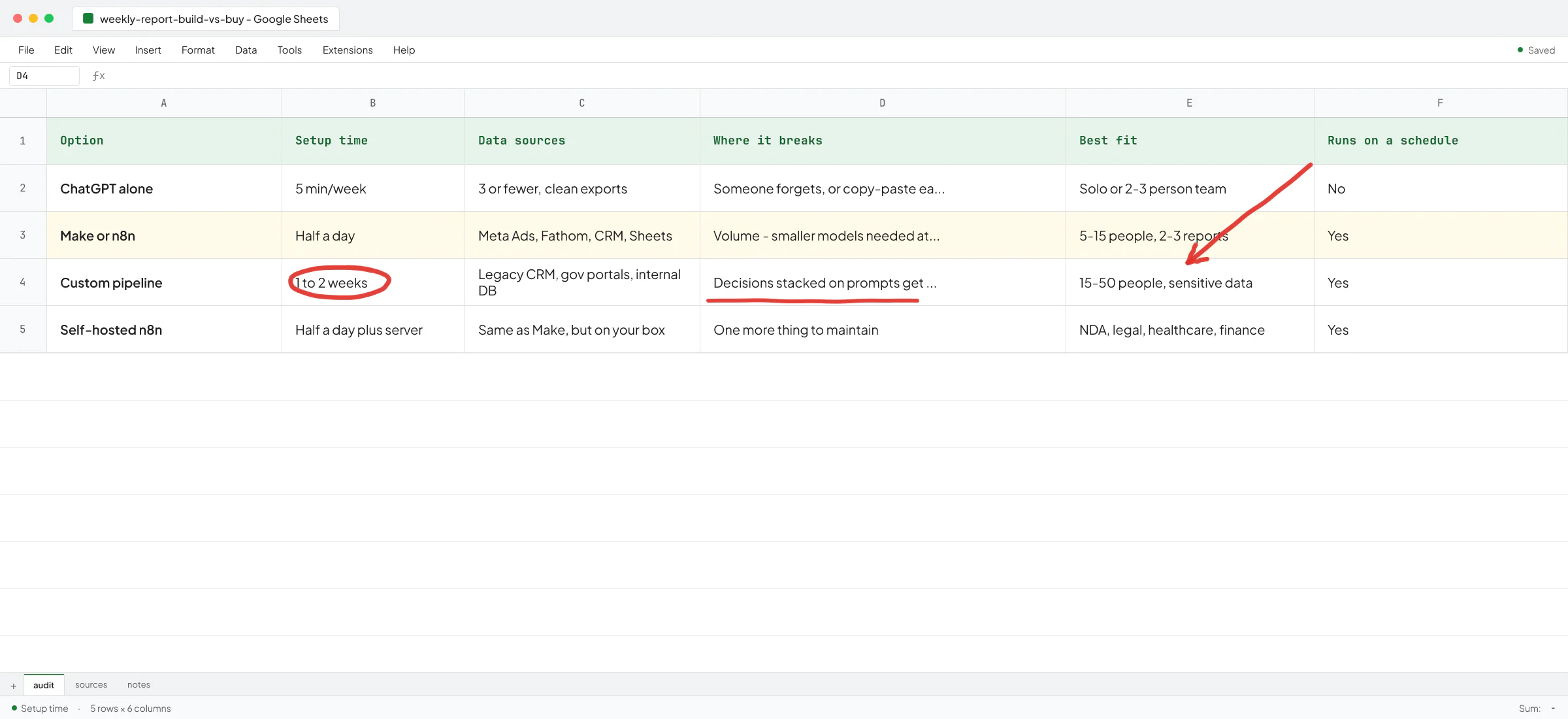
A subscription gives your team a chat window. That's the whole product. It's good for drafting emails, summarising calls, and rewriting documents. It struggles when the work has a structured flow.
Three signs you've outgrown the chat window:
- The same prompt gets pasted in 20 times a week with different inputs, and you want a system that does it on a schedule into the tool where the work lives.
- The output needs to land in your CRM, your accounting software, or your project management tool, and copy-paste between tabs is your bottleneck.
- The answers need to be consistent and traceable, and right now each person prompts slightly differently and you get 20 different outputs for the same job.
This is where I usually get the call. Ove André Remme, founder of Terapivakten in Norway, had already hired a freelancer to build a custom GPT inside ChatGPT for generating long Norwegian course lessons. After two weeks the custom GPT produced about 40% less content than asked for, and when pushed, the output got unnatural. He came back to me because, as he put it on camera in the full interview, "you were directly pointing to the issue that I experienced" - a custom GPT inside ChatGPT was the wrong shape for that job. We built a separate web app instead, and the content quality, in his words, was "perfect."
The lesson isn't that custom GPTs are bad. Most of the time a Business plan and a few well-prompted custom GPTs cover something like 80% of what a small firm needs. The lesson is knowing which 20% doesn't fit.
Toolsmaxxing before you upgrade
Before you jump a tier, push the tier you're on. Inside Business you can:
- Build shared custom GPTs with your firm's style, terminology, and reference docs. One GPT for sales replies, one for client briefs, one for proposal drafts.
- Use Projects to keep context together for an account or a case.
- Set up workspace-level instructions so every chat starts with the firm's guardrails (tone, disallowed topics, how to handle client data).
I call this toolsmaxxing - using the features of a tool you already pay for to the max before buying a new one. Notion has built-in AI that drafts and translates pages. Monday has dashboards and automations most people never touch. ChatGPT Business has custom GPTs that most small firms have not built yet. I would not write custom software for a problem a custom GPT solves.
The line is roughly here - if you can describe the workflow in one paragraph and it lives entirely inside text, a custom GPT on Business is enough. If the workflow has to read from one system, decide, and write to another, you're past ChatGPT.
What custom builds cost compared to a subscription
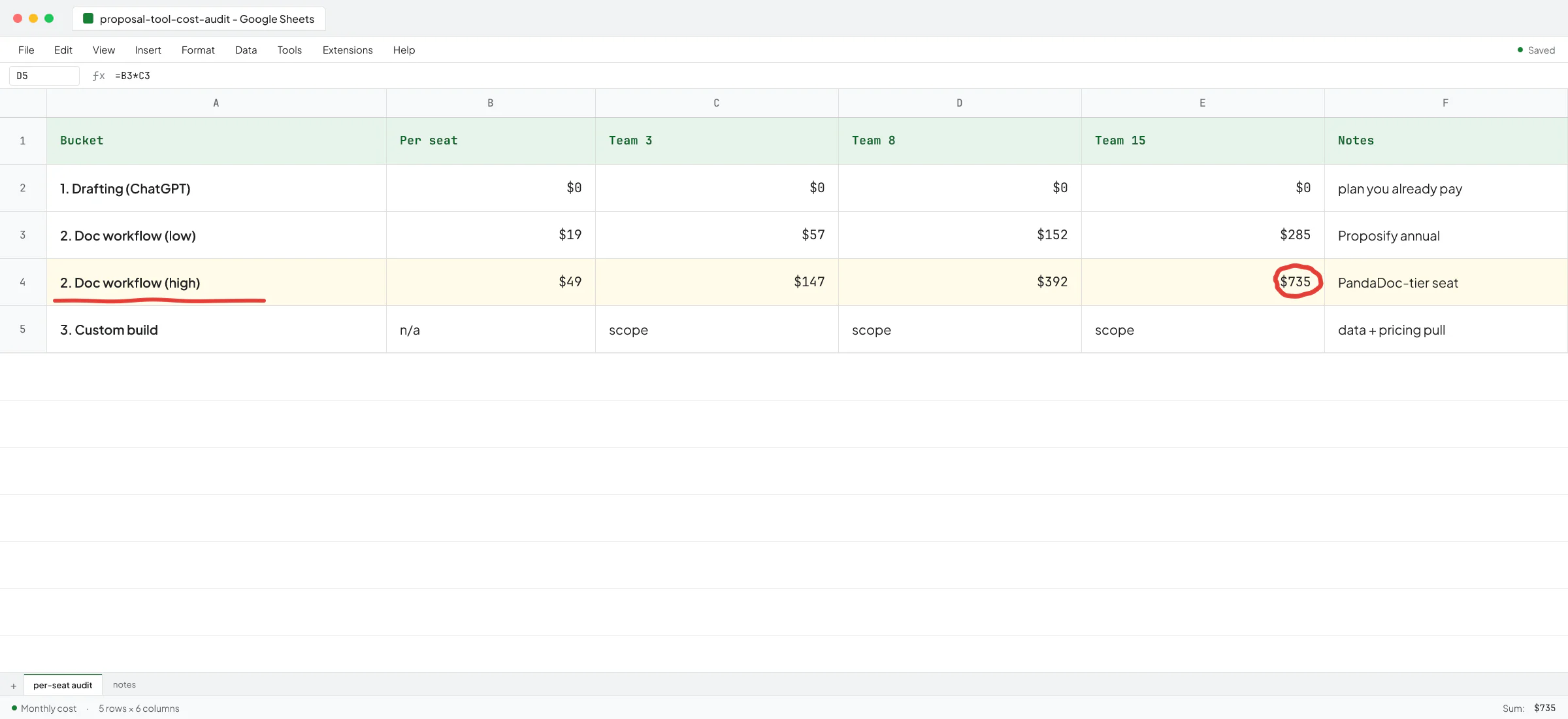
Subscriptions are predictable per seat. Custom builds are not, and that's the trade-off you take on when you cross the line.
A small custom AI workflow on top of the OpenAI API (a script that reads new invoices from your inbox, extracts line items, and writes them into a Google Sheet, for example) has two cost layers - the one-time engineering, and the per-call API usage that runs forever. I hit this trade-off on a recruitment AI client's scout agent - it monitors job portals and pings recruiters about matching jobs over WhatsApp. The first version used frontier reasoning models on the main pipeline, which was fine when 2-3 recruiters were testing it, but when rollout hit dozens of recruiters and hundreds of new job postings a day the speed fell off. I redesigned it around small non-reasoning models with smaller outputs and fewer calls per recruiter - quality dropped slightly, speed and cost came back to where they needed to be.
You won't face that exact problem on day one. You'll face the simpler version - should I keep paying Plus or move to Business? Almost always Business.
A simple decision path for a small B2B firm
- One person, no client data: Free or Plus.
- Solo founder doing heavy research: Plus, or Pro if the workload genuinely needs it.
- Team of 2 or more handling any client data: Business.
- Team of 150+ with regulated data and a procurement department: Enterprise.
- Workflow that crosses tools or runs on a schedule: subscription is necessary but not sufficient - build the integration.
If you're between rows 3 and 5, on Business and feeling the limits of the chat window, that's the conversation worth having before you sign a six-figure SaaS contract for a tool that mostly wraps the same OpenAI API.
The Sellify AI case study with HomeTeam Pest Defense, published by Sellify, is the version of this at the high end. HomeTeam wasn't picking between Plus and Business - they had hundreds of thousands of customers and a manpower problem, and the answer was a CRM-integrated AI sales system that generated over a million dollars in mosquito service revenue in a single campaign month. The principle scales down. The work decides the shape of the tool, not the other way around.
Book a call if you want to walk through which tier your firm should be on, or where a custom build would pay back faster than the next plan upgrade.
FAQ
Is ChatGPT Plus enough for a small business?
For one person handling no client data, yes. For a team of two or more handling anything covered by an NDA, no - Plus uses your conversations for training by default, and there's no admin console to enforce settings across users. Move to Business.
What is the cheapest ChatGPT plan that does not train on my data?
ChatGPT Business at $20 per seat per month on annual billing. Same price as Plus, and training exclusion is the default rather than a setting your team has to remember to flip.
Do I need ChatGPT Enterprise for SOC 2 or HIPAA?
ChatGPT Business already includes SOC 2 Type 2 and ISO 27001. For HIPAA, OpenAI offers signed BAAs on Enterprise and on the API. If you're under 50 people and your only compliance need is SOC 2, Business is enough.
Can I just use Free ChatGPT and tell my team not to paste client info?
You can, and people will paste client info anyway. The admin controls on Business exist because policy without enforcement doesn't hold up across a team. If you've had the "please do not paste client data" conversation more than once, you have your answer.
When does a custom build beat a ChatGPT subscription?
When the workflow has to read from one system, decide based on rules, and write to another - or when the same prompt gets pasted in dozens of times a week with different inputs. A subscription gives you a chat window. Anything that needs to run on a schedule, integrate with your CRM, or produce consistent traceable outputs sits past it.